We have now completed migration of our Drive Tool, NextCloud. You will note the url has changed from adradrive.adra.cloud to drive.adra.cloud.
During migration, some user accounts may have been disconnected. If you’re experiencing any issues with logging in, using your NextCloud client, or have missing files, this tutorial will outline how to resolve common issues.
Contents:
How do I Login?
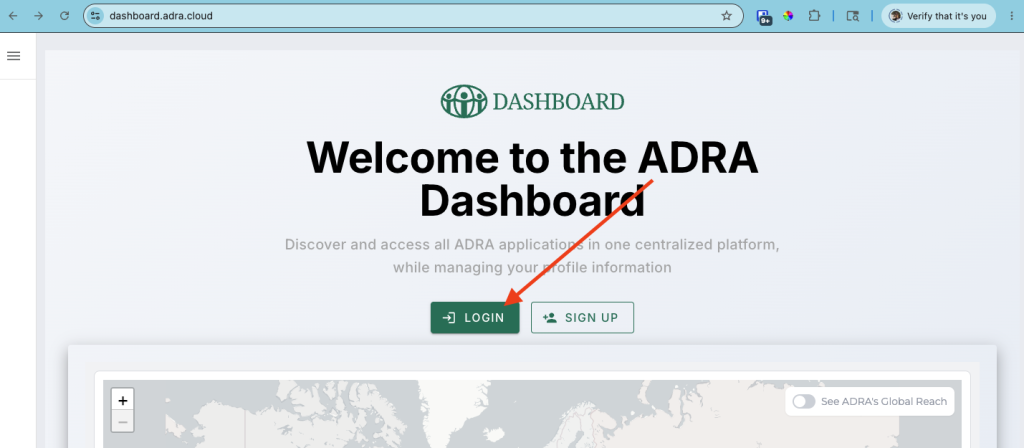
To log into the NextCloud Application, you first must log into your ADRA Source SSO (Single Sign-On) account via https://dashboard.adra.cloud/.
Forgot Password?
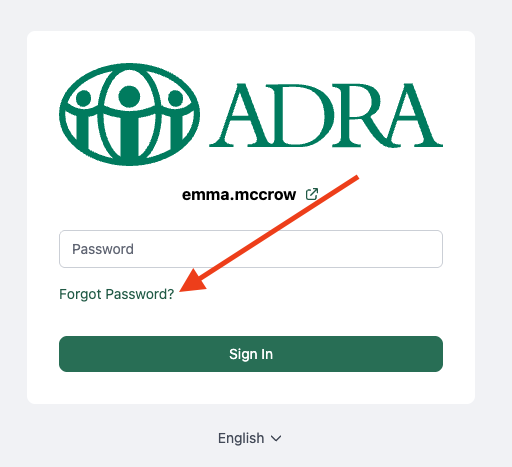
If you’ve forgotten your password;
- Click ‘Login‘
- Enter your ‘Username/email‘. If you don’t know this, you will need to email [email protected].
- Click ‘Sign In‘
- Selecionar 'Forgot Password?‘.
- You will then be able to reset your password and login.
Don’t have an ADRA Source SSO Account?
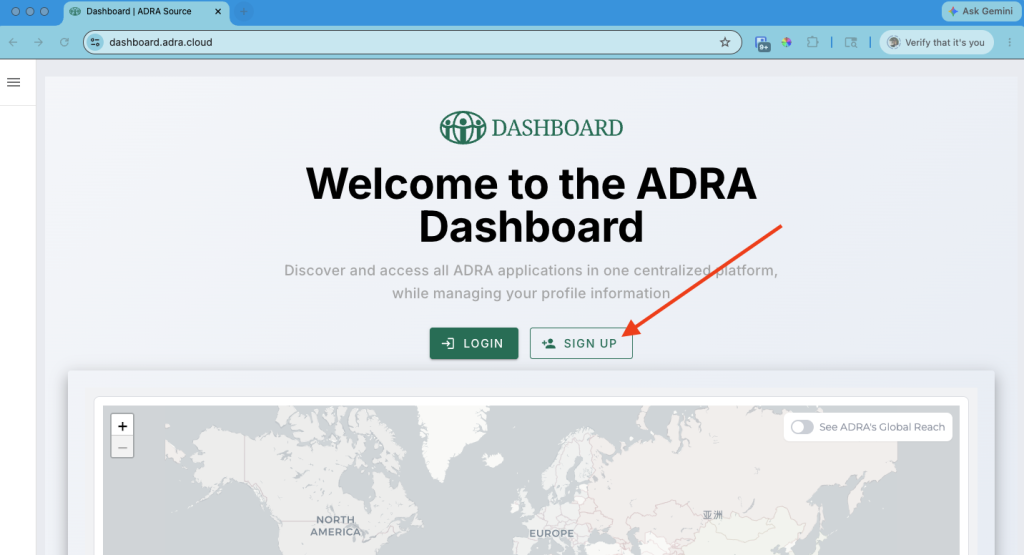
If you’ve been directly logging into ADRA Source tools, such as NextCloud, and haven’t setup your SSO account yet, you will need to Sign Up now.
*An ADRA Source SSO account means you only have to log in once to access ADRA Source’s suite of tools such as NextCloud, HumHub, LogAlto, ResourceSpace and more!
To do this, click on the ‘Sign Up‘ button and follow the prompts to create your ADRA Source account. You will then need to email [email protected] to have your SSO account connected to the account you were using in NextCloud.
Currently, the NextCloud application is not available under Applications>Drive. We are working on redirecting adradrive.adra.cloud to drive.adra.cloud. As such, once logged into SSO, click on this link to open NextCloud in a new tab: https://drive.adra.cloud/. *This is temporary.
If you are directed to the NextCloud login screen, just click on ‘Login with ADRA Source SSO‘, and it should automatically log you in.
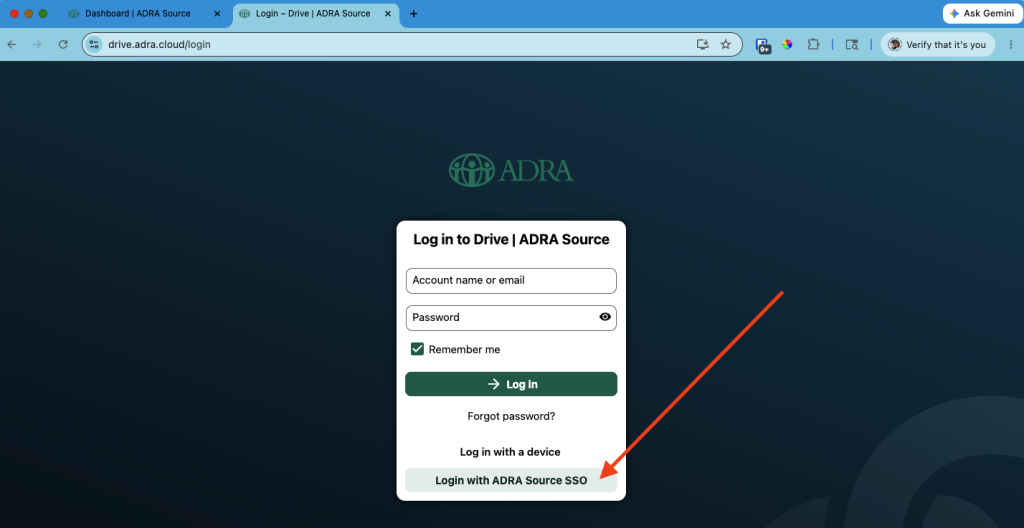
If you experience any issues logging in, please contact our Support Team at [email protected].
Missing Folders/Files
Have you successfully logged into NextCloud and found some or all of the folders and files you created are missing? Maybe you were added to a shared folder and you can’t see it anymore?
Don’t worry, they’re not gone!
This may be because your email had changed from when you first setup and directly logged into NextCloud to when you transitioned to SSO. Meaning you probably had more than one account in NextCloud.
To resolve this, email our support team at [email protected], and they will connect you to the right account.
‘Join ADRA Source Now’ Email
Did you receive an email from ADRA Source asking you to join like the one below?
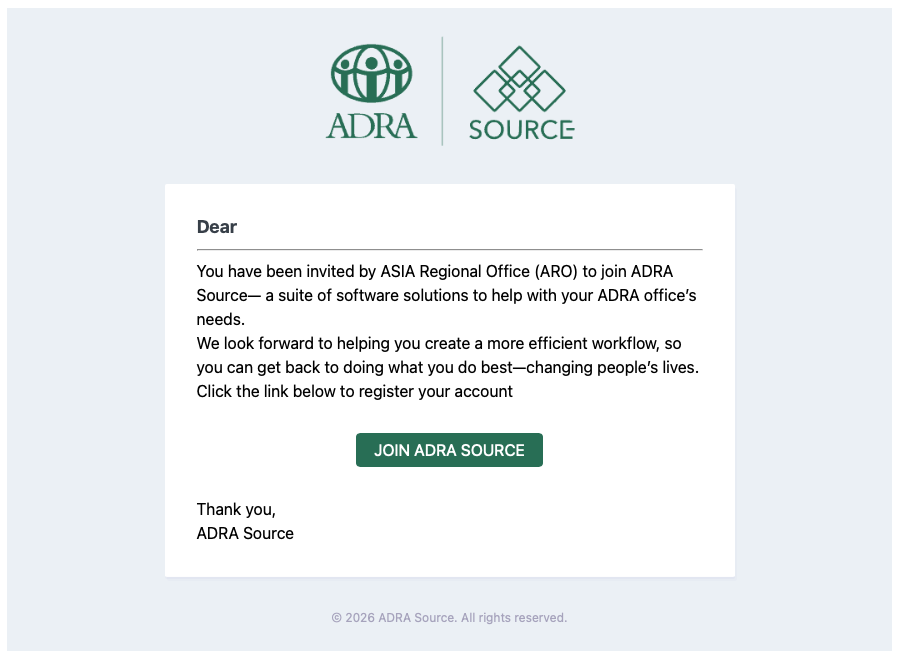
If you’ve received this email and you already have a SSO account, it just means your NextCloud account was ‘disconnected’ from your SSO account.
To resolve this, email our support team at [email protected] and they will reconnect your account for you. *You don’t need to create another account.
NextCloud Client Disconnected
If you had previously installed the NextCloud client companion application to your computer in order to sync files between your device and the NextCloud server, you will find that this has been disconnected.
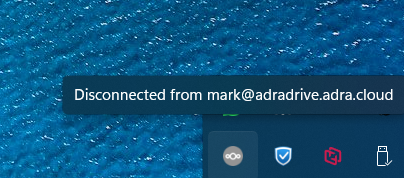
This is because NextCloud has changed servers from adradrive.adra.cloud to drive.adra.cloud.
We will be providing detailed instructions on how to connect your client to drive.adra.cloud here shortly. In the meantime, you can access NextCloud through your web browser.
If you experience any issues or require technical assistance, please reach out to our Support Team at [email protected].
Note: We will be updating this tutorial in real time as required.
 EN
EN  FR
FR  FR-FR
FR-FR  HU
HU  PT
PT  RU
RU  SL
SL  ES
ES  UK
UK